Super Admin onboards the college
The platform owner creates an admin account for the college and brings it onto Busszo.
Six steps take a college from empty platform to buses moving on the map with riders getting notified. Here’s the whole flow.
The flow
Each role picks up where the last one left off, and the whole chain runs in an afternoon.
The platform owner creates an admin account for the college and brings it onto Busszo.
Add buses, set capacity, and assign one driver per bus — or import the whole semester from an XLSX spreadsheet.
Lay out each route stop-by-stop on the map, set pickup windows, and publish. Routes can be edited any time.
On the all-fleet live map, the dispatcher assigns drivers to buses and suspends stops if something changes.
The driver taps "start trip" and the app begins sharing live location — only for the duration of the run.
Riders get a trip-started alert, an "arriving soon" nudge one stop before theirs, and a trip-ended confirmation.
When a stop can’t be served — construction, flooding, a road closure — the dispatcher or admin suspends it for the day. Instead of phoning every affected rider, the app automatically points them to the nearest active stop on the route and sends a push.
Route A — stops
Riders at Stop 2 redirected to:
Stop 1 · Main Gate (nearest active)
Bus 42
Capacity 40 · Route A
38
Assigned
40
Capacity
2
Seats left
Over-assignment blocked — can’t exceed 40
Each bus has a set capacity. The app prevents more riders from being assigned to a bus than it can carry, so drivers never face an overcrowded stop and nobody is left standing.
Instead of adding buses, routes, stops, and driver assignments one by one, the admin uploads a single XLSX file. The whole fleet is configured in one import — ideal for semester turnover.
| Bus | Route | Driver | Capacity | Stops |
|---|---|---|---|---|
| 42 | A | Ravi K. | 40 | 4 |
| 43 | A | Meena S. | 40 | 4 |
| 44 | B | Arul D. | 32 | 5 |
| 45 | C | Priya M. | 32 | 3 |
On the phone
Once the fleet is set up, this is the app in everyone’s pocket — sign in, find the bus, and follow it live.
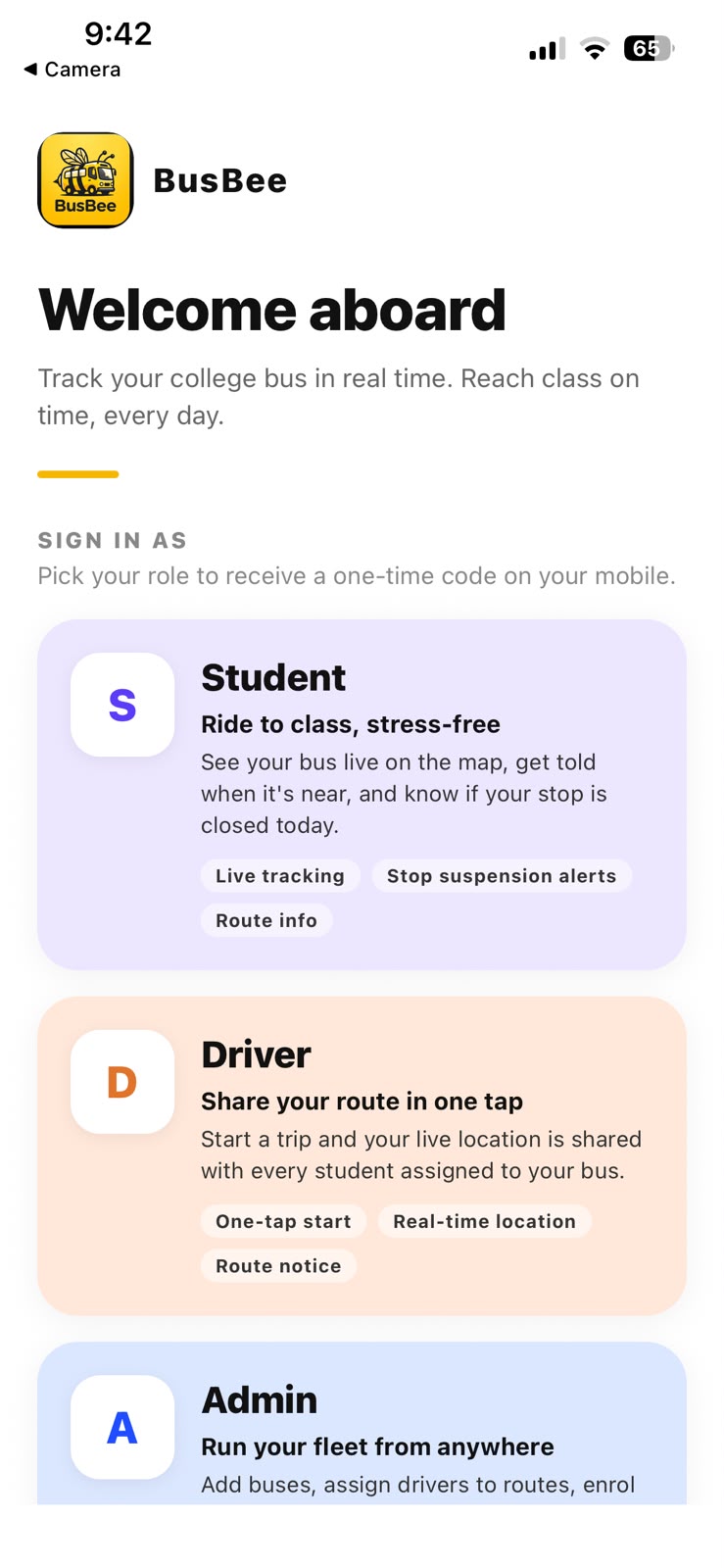
Students, drivers and admins sign in with a one-time code — no passwords, no parent login.
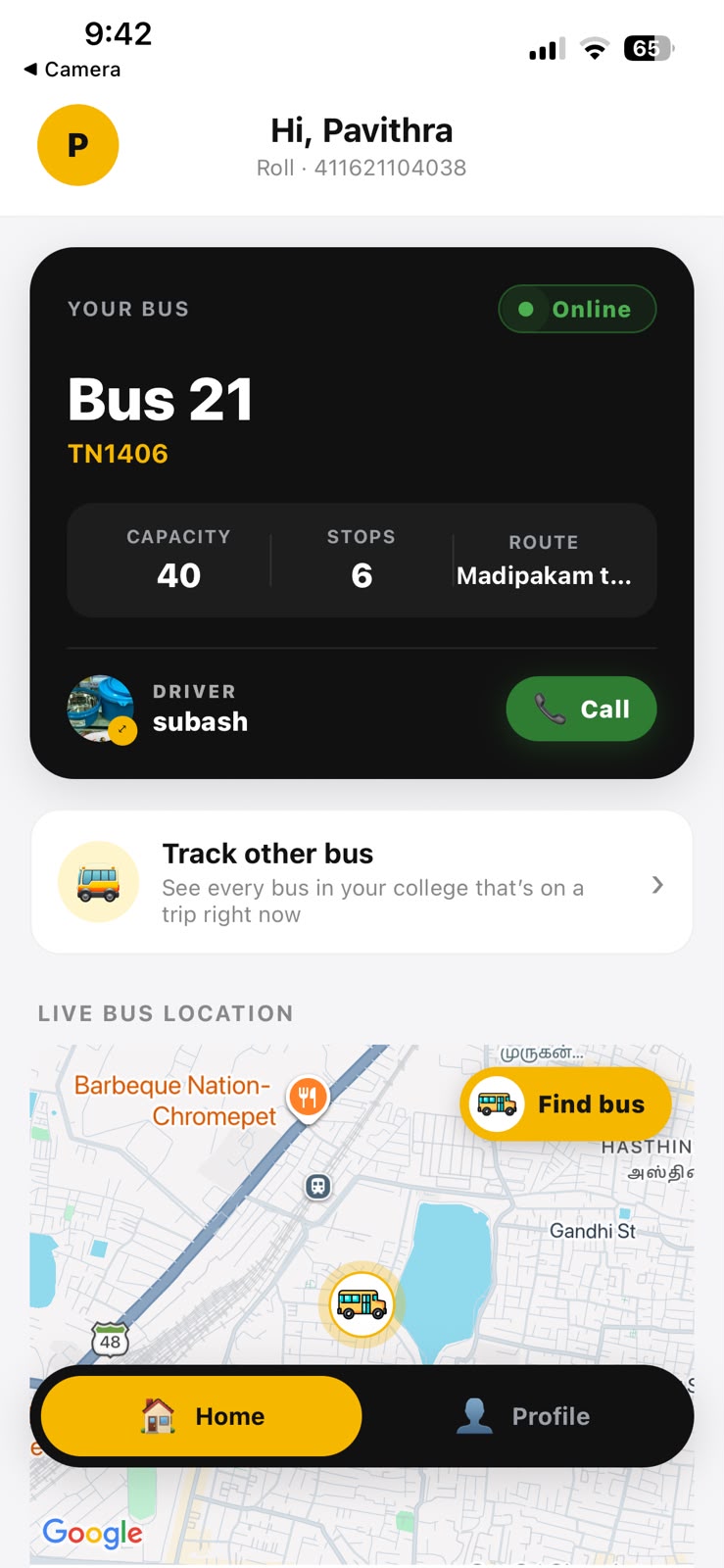
Riders see their assigned bus, its driver, and its position on the map the moment a trip starts.
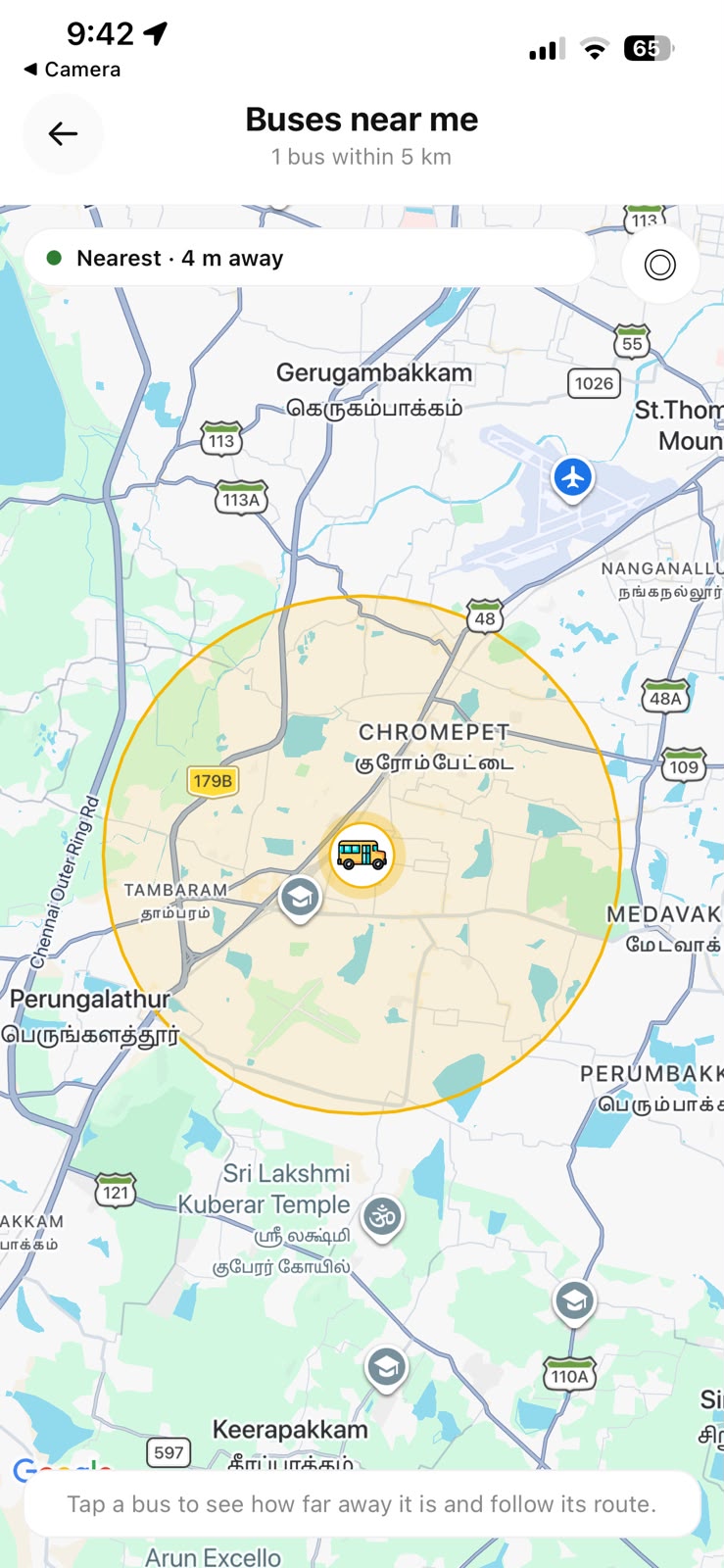
Find every college bus on a trip within 5 km and follow any one of them on the map.
Priced per student, based on how many students you enrol. Your whole transport team on one shared live map.