OTP login
Phone-number login with a one-time password. No passwords to remember, no shared accounts — every user is a real, verified person.
Busszo gives admins, dispatchers, drivers, and passengers one shared view of the fleet. Live tracking, route & stop management, smart stop-suspension fallback, and the right push notification at exactly the right moment.
5s
Live update interval
4
Roles, one app
6
Push notification triggers
Per student
Pricing that scales
In the app
The mobile app your students and drivers use every day — live tracking, role-based login, and buses on the map.
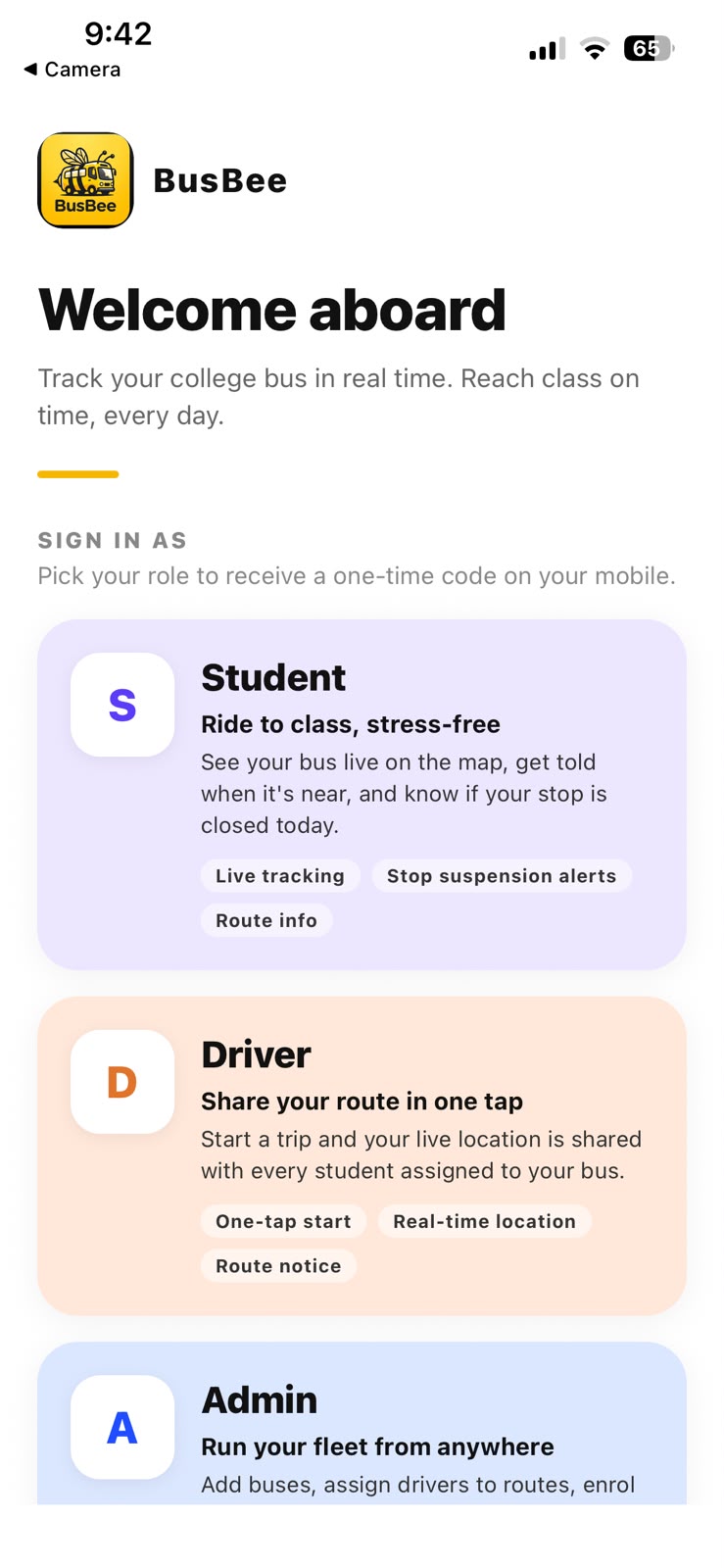
Students, drivers and admins sign in with a one-time code — no passwords, no parent login.
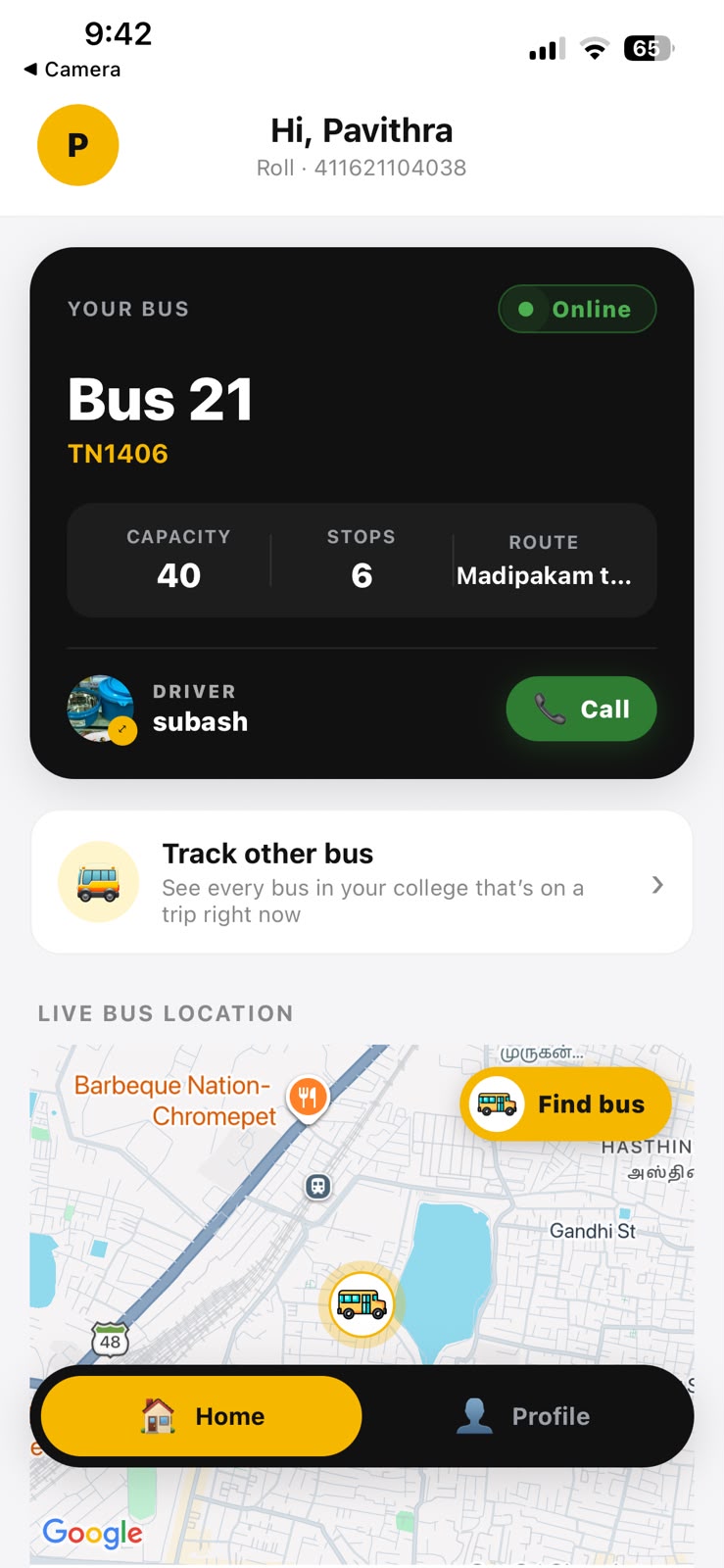
Riders see their assigned bus, its driver, and its position on the map the moment a trip starts.
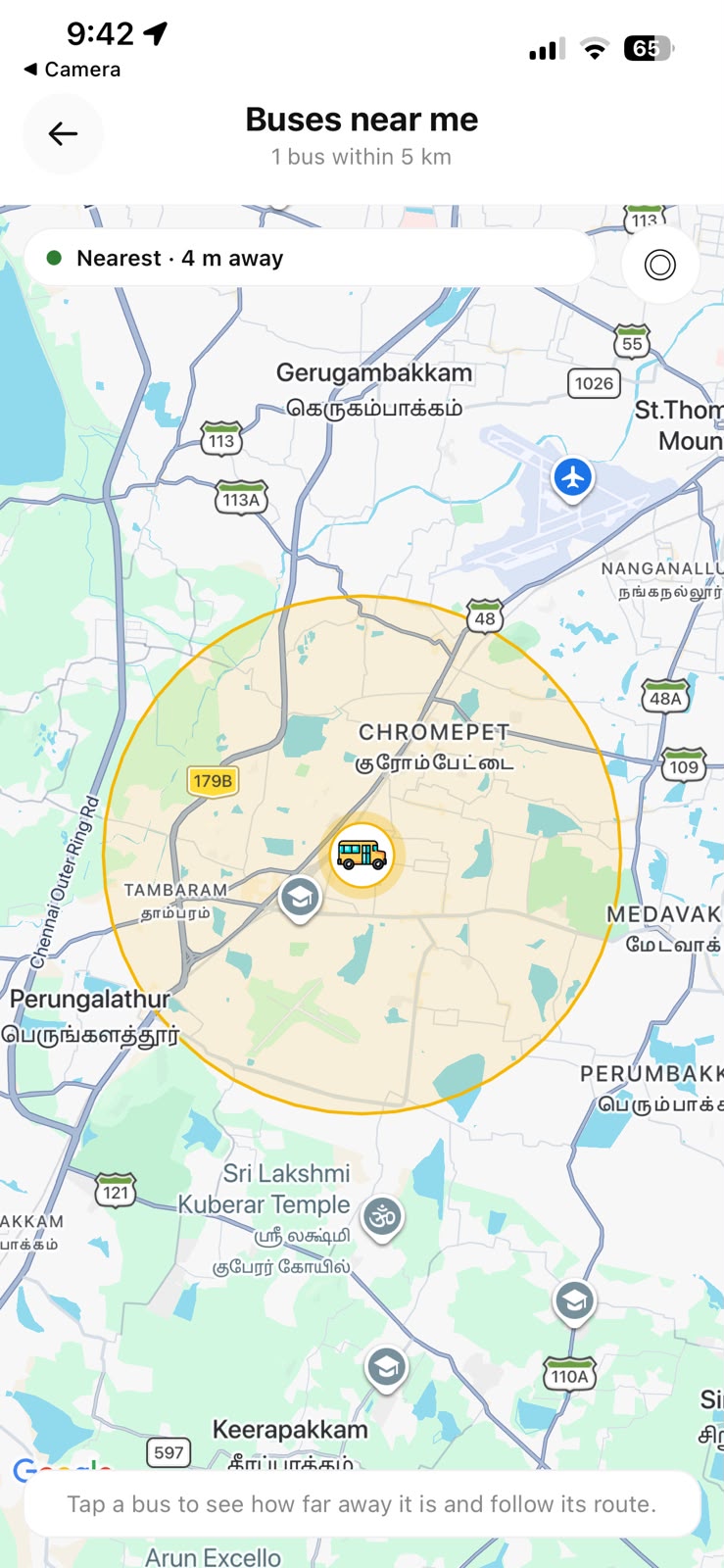
Find every college bus on a trip within 5 km and follow any one of them on the map.
Everything included
From OTP login to bulk import, every piece a college transport team needs — and nothing it doesn't.
Phone-number login with a one-time password. No passwords to remember, no shared accounts — every user is a real, verified person.
Buses report their position roughly every 5 seconds while moving and every 10 minutes while idle, so everyone sees near-real-time location on the map.
A single live map showing every bus in the fleet at once — admins and dispatchers see the whole operation, not just one vehicle.
Passengers and staff can look up any bus by number and follow it live, not just the one they are assigned to.
Build routes stop-by-stop with an interactive map. Reorder stops, set pickup windows, and publish a route in minutes.
Suspend a stop for a day and the app automatically points affected riders to the nearest active stop — no manual calls.
Each bus has a set capacity. The app prevents over-assignment so drivers do not leave stops with more riders than seats.
Every bus is bound to exactly one active driver. No double-assignments, no ambiguity about who is behind the wheel.
Upload routes, stops, buses, and driver assignments in a spreadsheet. Set up an entire semester in one import.
From trip start to the one-stop-before "arriving soon" alert, riders get the right nudge at exactly the right moment.
While a bus is moving, it reports its position about every 5 seconds. While it’s idle, about every 10 minutes. And location is only collected during an active trip — between the driver starting and ending the run.
5-second updates while moving
Passengers and dispatch see the bus move almost live on the map.
10-minute updates while idle
Saves battery when the bus is parked, without losing it entirely.
Active-trip-only collection
No background tracking. When the trip ends, location sharing ends.
All-fleet live map for admins
See every bus in one view — not one vehicle at a time.
Bus 42
Route A · 3 stops to go
~5s
while moving
~10m
while idle
Push notifications
Six push-notification triggers keep everyone informed — including the one-stop-before 'arriving soon' alert that gets riders to the stop on time.
Assigned passengers
When the driver starts the trip, assigned riders get a push that their bus has begun the route.
Passengers at the next stop
One stop before a rider's stop, they get an "arriving soon" nudge so they can head to the pickup point.
Affected passengers
If a stop is suspended or skipped, affected riders are notified immediately with the nearest active alternative.
Assigned passengers
When the driver ends the trip, riders get a confirmation that the run is complete.
Assigned passengers
When a dispatcher edits a route or suspends a stop, assigned riders are notified of the change.
Assigned passengers
If a bus is swapped onto a route, affected riders are notified so nobody waits for the wrong vehicle.
Four roles, one app
Super Admins, Admins, Dispatchers, and Drivers — each with a scoped login and the right powers for the job.
The platform owner
Runs the whole platform. Manages which colleges are onboard and which admins represent them, and can push an app-wide banner to every user.
The college transport head
Owns their college's entire fleet. Sets up buses, routes, and drivers, imports a semester in one spreadsheet, and sets capacity limits.
The day-to-day operator
Keeps the fleet moving in real time. Watches the all-fleet live map, assigns drivers to buses, and suspends stops when something changes on the ground.
The one behind the wheel
The only role that shares location. Starts the trip, drives the route, and ends the trip — the app shares their position only while a trip is active.
What it is not
We'd rather tell you up front what Busszo doesn't do, so you're not surprised later.
No parent login
Parents do not get their own account. Anyone who needs to track a bus uses the same passenger app.
No attendance marking
Busszo is about location, not roll call. Boarding attendance is out of scope.
No fee collection
Student transport fees are handled elsewhere. The only payment here is what your college pays for Busszo itself.
No SOS / panic button
There is no emergency alert feature. Emergencies should go through your existing channels.
No ETA predictions
You see where the bus is right now, on the route. We do not guess an arrival time.
Pricing
What your college pays scales with the number of students you enrol — one figure for the full feature set, with no separate charge per bus, route or stop.
Based on your student count
Tell us how many students you enrol and we’ll send back a figure for your college.
Or call +91 93605 55572
FAQ
The things people ask before they set up Busszo for their college.
No. There is no separate parent account. Anyone who needs to track a bus — including parents — uses the passenger side of the app.
No. Busszo shows you where the bus is right now on its route. We intentionally do not estimate an arrival time, because traffic makes those guesses unreliable.
About every 5 seconds while the bus is moving, and about every 10 minutes while it is idle. Location is only shared while a trip is actively running.
Only during an active trip — between the driver starting and ending the run. No background location is collected when no trip is active.
The dispatcher or admin suspends the stop, and the app automatically points affected riders to the nearest active stop on the route. No phone calls needed.
Pricing is based on the number of students your college enrols — there is no separate charge per bus, route or stop. Tell us your student count and we will send back a figure for your college.
No. Each bus is bound to exactly one active driver at a time, so there is never ambiguity about who is driving.
Both. Passengers can follow their assigned bus and also look up any other bus by its number to track it live.
Priced per student, based on how many students you enrol. Set up your fleet in an afternoon and stop answering “where is the bus?” calls.